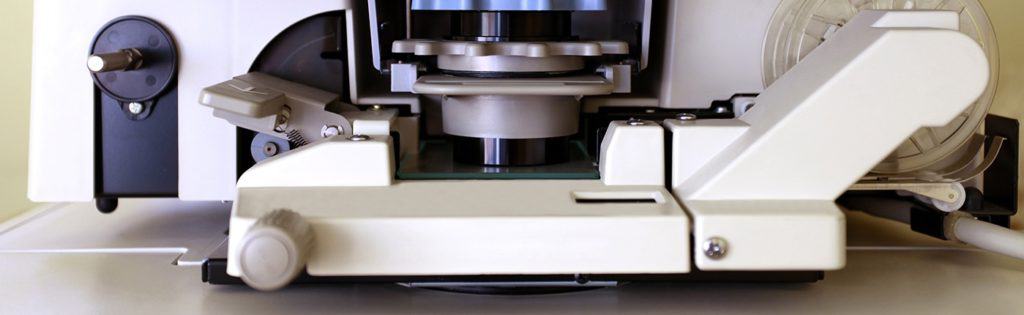
Benefits of Digitizing Your Microfilm and Microfiche

When’s the last time that you used a microfilm reader? Unless you’re a librarian, archivist, or historical researcher…it was probably a really long time ago, if ever. While microfilm and microfiche were great ways to store information, they’re a bit outdated now. After all, you’re reading this blog post after a quick internet search – now imagine you can do that with the data on your microfiche. That’s just one of the benefits to digitizing your microfilm and microfiche.

Interested in learning more? Let’s cover all of the benefits of digitizing your microfilm and microfiche:

1. Preserves Information Accurately

One of the problems with microfilm is that unless it is stored in absolutely perfect conditions, it starts to fade and disintegrate over time. (And even if it’s stored in absolutely perfect conditions, it lasts for 500 years. Can you keep conditions perfect for 500 years?)

This is a major concern if you rely on that information.

But when you digitize that microfiche, all of the information is captured accurately before it can fade. And then once your files are digital, they can be brightened, sharpened, and corrected. This means that even if your fiche isn’t in perfect condition, the information isn’t lost.

Once your film and fiche are converted and corrected, they’ll last forever as digital files.

2. Improved Document Control

While it’s true that someone really has to be committed to pull out some microfilm, boot up the machine, and find the correct panel…is there anything to stop them?

Once you have digitized your microfilm and microfiche, information can be password protected and even redacted if it’s confidential. And depending on the kind of content management system you have, you can also restrict access to particular folders or types of information.

With digital files, you can make sure that data is seen only by the people who need to see it.

3. Searchability

After converting microfiche and microfilm, files are indexed, which means that all the information is now keyword searchable.

So instead of trying to remember a particular roll of film and then digging through boxes or filing cabinets, you simply type in a word, date, or name and the information will come right up.

4. Instant Accessibility

When it comes to microfilm, there’s no such thing as instant access. It needs to be found, loaded, and manually searched through before you, hopefully, find the right image.

But once your film or fiche is digitized, all of your files are instantly accessible from the comfort of your computer. Instead of spending hours locating the one piece of information that you may need, you can call it up with a few keystrokes and clicks of your mouse.

Also? You can easily share information with people outside of your organization via a simple email or link.
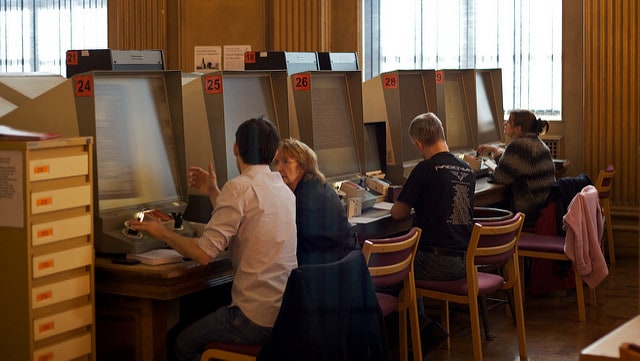
people using microfiche and microfilm readers

Why deal with these if you don’t need to?

5. More Physical Space

Wouldn’t it be nice to have more space in your office, school, or library? Getting rid of your boxes of microfilm and microfiche is an excellent way to do that.

When you convert your files to digital, they can live on a company server or the cloud—equipment that you either already have or is stored elsewhere. That means you can gain some serious square footage without needing to move.

6. Increased Efficiency

As we’ve discussed, it takes a lot of time to locate a single piece of information on microfilm or microfiche. The physical set up to search takes a decent amount of time, and then the actual search can take hours if you aren’t exactly sure what you’re looking for.

When files are digitized, employees can do a simple search, find their information, and get on with their day. This opens up lots of time for your employees to be doing something else that’s more valuable to your business, customers, and/or patrons.

7. Save Money

Not only will you be saving money by having your employees be more efficient, but you can also save money by not having to maintain microfilm/microfiche readers or machines. Also those perfect conditions we mentioned earlier? You won’t need to worry about preserving your files in the right climate, which can be costly if you operate in a very cold or very warm area.

8. Peace of Mind (and Digital Backups)

No matter where you live or work, there’s always some kind of chance of natural disaster. Tornadoes, hurricanes, freak weather accidents—obviously we hope they don’t happen, but you can never be sure.

When you digitize your records, your information will there no matter what might happen to the physical copies. Even if you want to keep your physical microfilm, you’ll at least have a digital backup just in case something happens or you’re audited.

As you can see, the benefits of microfiche and microfilm conversion are significant. You can save money, increase efficiency, and get more room in your building all by digitizing your records.

If you’re ready to realize these benefits, contact us today or give us a call at (630) 321-0601.

This post is part of the Datamation Guide to Digitizing Your Microfilm. Picture credit to Pete Birkinshaw on Flickr.

2269

publish

2022-06-25 11:00:11

benefits-digitizing-microfilm-microfiche
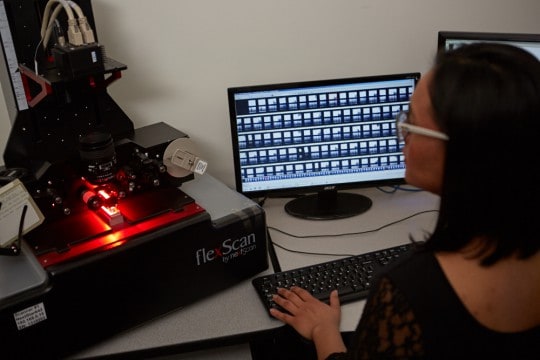
The Datamation Process of Digitizing Microfilm

If you have a bunch of microfilm in storage, thinking about digitizing every single roll can be intimidating: the effort, the time, the cost—is it worth it? The first piece of good news is that the benefits far outweigh any kind of investment. And the second piece of good news is that you don’t have to tackle it alone.

Datamation has over twenty years of experience in microfilm and microfiche conversion and we’ve got the process down to a fine science of just four steps. Our experienced and specialized team can take those rolls of microfilm and efficiently turn them into accessible, searchable information.

microfiche conversion process

Here are the four easy steps of microfilm digitization, broken down one by one:

Step 1: Collection

Datamation comes to your business or organization and collects all of your microfilm jackets and rolls in a Datamation vehicle. No third party will ever have access to your information. Your microfilm is brought to our secure facility to begin processing.

Step 2: Scanning and Indexing

The microfilm is scanned with our top-of-the-line equipment and we use optical character recognition (OCR) technology to extract the data from your microfilm. We then index the information to make it searchable for you.

Step 3: Conversion

Once the data has been indexed, the information is then converted into PDF, TIFF, or any other file format your business or organization prefers.

Step 4: Upload

We then upload these files in any necessary format, making them immediately accessible at any time. Datamation can provide your information via flash drives, file transfers, or even get you set up on a cloud system. It’s all up to what works best for your organization!

The process of digitization is nothing to be daunted by—Datamation can do all the heavy lifting for you, quickly and efficiently. We do all the work and you reap the benefits.

Not sure where to start? Call Datamation at (630) 321-0601 today for a free consultation.

This post is part of the Datamation Guide to Digitizing Your Microfilm.

1716

publish

2022-02-11 06:00:00

digitizing-your-microfilm-breaking-it-down

Digitizing Your Microfilm, Microfiche, and Aperture Cards

Microfilm, microfiche, COM fiche, and aperture cards are distinctly different ways to store media, but they do have one thing in common: they’re not easy to use when you want to find information quickly. But information can be easier to access when you digitize your microfilm and microfiche.

Let’s cover the different forms of media storage, collectively known as microform, and how they are converted to digital.

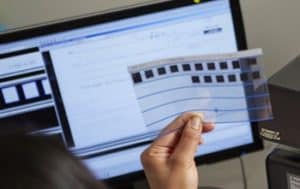
microfilm scanner

Microfilm

Microfilm consists of a series of small images (generally newspapers, books, records, or pictures) that are stored on a film reel. These images can only be seen and read with a microfilm reader, making it difficult to access for research. It comes in different sizes, including 16mm and 35 mm film.

Microfilm, especially older microfilm, is delicate and can be ruined if it is handled too roughly, so it is vital that it is scanned by an expert.

Aperture Cards

Aperture cards are really an extension of microfilm. One aperture card holds a 35 mm. Microfilm chip that is embedded in the card itself. The card is punched and coded with indexing information for the image. Also the image’s metadata may have been placed along the top of the card. Aperture cards are largely used for engineering drawings.

Aperture card conversion requires highly specialized microfilm scanners, especially since there are 16mm and 35 mm images as well as the Hollerith metadata from the punches.

Microfiche

Microfiche is similar to microfilm in its purpose, except that the images are stored on a sheet rather than a reel. Microfiche sheets are typically 4×5 inches and are used to store images.

When microfiche is scanned, it is vital to capture each image on the sheet as every sheet is different and there are so many kinds of microfiche. Some of the different forms are jacketed fiche, computer output microfiche (more on that later), 105mm fiche, step and repeat microfiche, and ultrafiche (oversized).

COM (Computer Output Microfilm) Fiche

COM fiche is microfilm that is generated from a mainframe data stream or print file. Typically, COM fiche is a series of images produced at a 24x or a 48x reduction ratio.

If you have a lot of microform, you are probably well aware that it takes a lot of time to access the information stored within. But if you convert it to digital, you’ll realize a ton of benefits, like easy access and searchability.

Handling and digitizing microform is a delicate process that takes true expertise and experience to carry out well. Datamation has the experience and the technology to take your delicate microfilm and microfiche and make it searchable and easily accessible. All too often, historical records and images stored on microfilm are damaged, which means that valuable information is lost forever.

Contact Datamation to transform your microfiche and microfilm into functional, searchable information today.

This post is part of the Datamation Guide to Digitizing Your Microfilm.

1719

publish

2021-02-26 06:00:00

digitizing-your-microfilm-microfiche-and-aperture-cards

Top 3 Areas Driving Demand for Digital Files Due to COVID-19

When state governments enacted stay at home orders to slow the spread of COVID-19, the need for digital files skyrocketed. While many companies were already making a transition to paperless offices or had formal work from home policies, there some that were still relying heavily on paper.

As a document scanning and management company, we’ve seen a large interest in digitizing files in three areas: human resources, mailrooms, and microfilm records. These three departments are rapidly digitizing, no matter what the industry. This makes sense as all of these areas require timeliness, privacy, and accessibility for their records.

Let’s get into why these areas are seeing such a demand in digitizing.

1. Digitizing Human Resource Records and Processes

Human Resources is by far the most common area where businesses are scanning their records. We’ve spoken with industry peers across the country and they are also seeing a huge demand in human resources scanning.
And really, this makes a lot of sense. Human Resources is heavily dependent on paper and information. They require lots of processes and approvals for a variety of daily functions. When offices closed, they didn’t have access to their filing cabinets. But employees still needed to perform essential functions like hiring and onboarding. Having all existing and incoming personnel paperwork digitial enables the HR employee to work productively even while remote.

Here at Datamation we’ve seen a large increase in web traffic and calls about scanning HR files. Some are smaller companies that previously relied on paper-based processes. However, most are large companies with multiple offices that absolutely need virtual access and digital routing of personnel records. Without the ability to access their records virtually, HR employees are heading to the office to access records. Depending on the company, this can require management clearance, an exception to the remote work policy, and an office cleaning. Not to mention it can possibly compromise the employee’s health and safety.

2. Incoming Mailroom Processing and Scanning

Even if your employees aren’t in the office because of COVID-19, your mail is still heading there. As many companies don’t want to compromise the health of an employee, or need to make cuts due to the current recession, they’re looking to outsource their mailroom.
The process is simple: incoming is mail is picked up or routed to a scanning company (like us!) or sent to a P.O. Box managed by the third-party company. The company opens, scans, and indexes the mail by the intended recipient. After that, the digital images are uploaded to an FTP site so the company can download the images and process them accordingly, or a cloud-based document management system so each user can access their own mail independently.

Receiving your mail digitally enforces privacy. It also ensures quick document delivery to remote workers for prompt processing. Businesses need to receive about 50 pieces of mail per day to really see the benefit, but it’s simple to implement and cost-effective.

3. Scanning and Digitizing Microfilm and Microfiche

One of the most surprising things has been the increase in demand for microfilm scanning. While converting microfilm and microfiche to digital is one of our standard services, we’ve seen organizations of all sizes and industries reach out about digitizing this type of media.

This is because so many more people are working remotely and can’t access the microfilm and appropriate reader equipment at the office. For any company that was considering a conversion but wasn’t quite ready to make the investment, the pandemic reshuffled their priorities.

Records on microfilm and microfiche are generally archival in nature, so they don’t need to be accessed that often. But when they do (for example: when needing to check a 45-year-old life insurance policy or a 57-year-old student record), someone still has to go find the right piece of fiche or roll of film and then use antiquated equipment to find the right cell. Digitizing these records doesn’t just mean instant access at home—it also means that you never have to use a microfilm reader again.

Digitizing these records also increases their privacy. You can lock a digital file in a content management system with a password and/or user permissions so only those with the proper access can see it.

Finally, converting film and fiche to digital images means that the data will be around forever. Despite early claims that microfilm and microfiche could last for hundreds of years, much of it has started to degrade.

Other In-Demand Applications for Document Scanning

These three areas have seen a huge increase in digital files, but those aren’t the only places. Here are a few other applications for document imaging that we’ve worked on over the past few months:

  • Customer Service: With customer service employees working from home, they don’t have access to customer files in an office filing cabinet or on a server. Virtual access allows them to maintain a high level of customer service while working remotely.
  • Contracts: Storing contracts on a content management system allows for secure sharing. Proper approval parties can receive contracts via workflow. A system can keep all versions of this document without any kind of physical copy.
  • Tax Records: Sales tax, payroll tax, state tax, tax exemption and other large tax records frequently require office access to see these records. This is especially true in the event of an audit. Now employees and auditors alike can access these files remotely.
  • Legal Files: Virtual access to legal files provides fast access and more time for lawyers to perform billable services.
  • Accounting: Many companies are either outsourcing their accounts payable or using an in-house system where invoices can be digitized, and key data extracted so that their system can then automatically receive, route, and pay invoices.

The demand for digital files and these applications has increased this year. And it’s unlikely this will end when the COVID-19 pandemic does. Workplaces have been trending digital for the last few decades, and this was simply a push to accelerate the process. With fewer costs, more productivity, and less needed office space, there are so many benefits from having your records digitized and on a document management system.

If you need to digitize your files or a better way to access those files, we’re happy to help. Contact us or give us a call at (630) 321-0601.

Has your company adopted digital files for any of these departments or applications? What other trends have you noticed because of the pandemic? Find us on Twitter or LinkedIn.

6156

publish

2020-12-09 06:00:05

demand-digital-files-covid-19

It’s Time to Update That Outdated Microfilm and Microfiche

It’s time to say it: microfilm and microfiche are outdated. In fact, they’re actually in the Museum of Obsolete Media. So as you plan for the future of your company, maybe microfilm and microfiche shouldn’t be in the picture. After all, it’s important to make sure that you, your employees, clients, and anyone who may need information in the future has accessibility of important documents.

Even if the Museum of Obsolete Media doesn’t convince you, there are still plenty of reasons why microfilm and microfiche aren’t the best choice for information longevity.

You Need Continuously Trained Personnel

If your company continues storing records in these forms, you will need to rely on one or two people who know how to access, process, and store microfilm and microfiche. Continuously retraining people to work with these formats is tedious and time-consuming. By scanning and converting your outdated microfilm, you develop one uniform process and method of storage that you can update according to changing technology. Everyone will know how to access and process important records.

You Need Special Equipment

It is also becoming more and more difficult to find the proper equipment to view microfilm and microfiche. Viewing machines are expensive, and many of the companies that sell them are going out of business. Because the writing is on the wall, there are no new providers to replace those that have closed, which will, in time, phase out microfilm and microfiche readers completely. It wont be long before viewing machines are commercially unavailable.

You Need to Consider Storage Logistics

Accessing and storing microfilm and microfiche are problems that many organizations face as well. Finding the right rolls in a room full of them can take hours, whereas finding digitized records takes a few clicks of a mouse. Rather than spending valuable time attempting to find a single record, employees can stay on task and increase productivity. Furthermore, where you store microfilm can affect its longevity. If conditions aren’t perfectly dry and dark, microfilm can mold and disintegrate from moisture in the air, ruining those records forever.

So what’s the better way to store information?

Newer and more convenient scanning and conversion technology is quickly making microfilm and microfiche obsolete. In order to best protect your records and your company, digitize your microfilm and microfiche with Datamation today.

1774

publish

2018-07-24 00:00:00

its-time-to-update-your-microfilm-and-microfiche

Document Conversion: Frequently Asked Questions

Whether you run a small family firm or manage a large corporation with multiple locations, document conversion can change the way you do business.

Organizing, storing, and sharing paper documents is not only inefficient, it leaves your company’s information susceptible to security breaches. Document conversion can save your company significant time, labor, and money by streamlining all your processes. This post will discuss frequently asked questions about document conversion.

When should I consider document conversion?

● When many people or departments need access to the same documents. If your business is spread across multiple locations, digitally stored documents make it easy for more than one person to have full access to a document.

● When the documents must be retained for a long period of time. These documents may include blueprints, maps, financial information, or employee records.

● When the documents are highly sensitive and/or vital to business operations and require backups. Document conversion ensures there is always a digital backup if a paper copy is destroyed.

● When storage costs exceed the cost of conversion. Consider not only the cost of storing documents at off-site facilities or cost per square foot for the space in your office, but the cost to find, retrieve, and re-store documents and the employee and client relation costs incurred when you are unable to locate a misfiled document.

What is the difference between scanning internally or outsourcing these services?

Scanning documents internally requires resources. You will need scanners, staff to prepare the documents for scanning, capture and imaging software, and staff for quality control after scanning. Consider the investment required for equipment, software, licensing, upgrades, and staffing to successfully scan your documents in-house.

Outsourcing document conversion means all the resources are provided for you. When you use Datamation, you will also have access to your documents during the conversion process and can track the progress of your project.

What does it cost to convert documents?

The cost to convert documents to digital images depends on several factors:

● How much paper do you need to scan? For reference, a standard bankers box full of paper costs between $130-$220 to scan. If you’re unsure, use our document scanning quote calculator for an estimate of your conversion costs.

● How much document prep is needed? Are the sheets full of paperclips, bindings, and tears?

● How many pages are included in each file?

● Does your company have any indexing or metadata requirements?

How do I select the best document scanning provider?

Make a list of your criteria. What are your company’s needs and wishes? Consider the following:

● Volume of paper. Can the provider accommodate the volume of documents within your timeframe?

● Do your documents need to be scanned in color, grayscale, black and white, or all of these?

● Is there a resolution requirement?

● Do the documents need to be searchable?

● Document destination. Are the documents going into a document management system?

● Image format. What format do the images need to be in?

● Do you need access to documents while the conversion process is taking place?

How do I choose a document conversion file format?

The format of your documents is usually chosen according to the ECM/ERP/EMR system where the documents will reside. The most common format is TIFF. However, if you’re using a document management system, check with your software manager because some prefer files in the PDF format.

Should I keep or destroy the documents once they are converted?

In most cases, the paper documents can be destroyed, but you should always check the legal requirements for your state and industry. Contact Datamation or your state archivist with questions.

This post is part of the Datamation Guide to Document Scanning.

1766

publish

2018-06-12 00:00:00

document-conversion-frequently-asked-questions