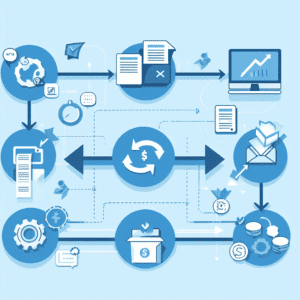
Why You Need to Train AI Models on Your Unique Data

|

If you’ve been discussing using more AI tools in your organization, you’re not alone. Nearly 35% of companies are already using AI and about half of the remaining companies plan to incorporate AI technology in 2025.

However, relying on AI tools that haven’t been trained on your company data can only take you so far. Using popular, free tools like ChatGPT can be effective for standard communication or idea generation, but they don’t know your industry in-depth. They have been trained with publicly available data that knows a little about a lot of topics. It doesn’t know about your business.

That’s why you should invest in your own AI tools and then train it on your unique company data. A well-trained AI tool can do next-level work like reliable forecasting, assisting customers via chatbots, and unique content generation.

To be successful, you will need to digitize and centralize all your data and documents. And we mean all of it. This isn’t just invoices from the last five years that you’ve been paying electronically—it’s also historical records on paper or on microfilm; it’s internal training videos and guides; it’s onboarding paperwork. Essentially, you need all your company data whether it’s stored electronically in a system or sitting in physical formats in a file room.

A recent study revealed that 46% of the respondents have crucial company data on paper documents. That means that half are not ready to train AI models for their business, despite indicating that they would like to. You simply cannot leverage your data if it’s not digital.

Below, we’ll outline some of the key reasons why you need to digitize your organizational data so you can unleash the full power of your AI tools.

1. Unique Data for Unique Solutions

As mentioned above, AI tools that you have likely heard about and used (ChatGPT, Claude, Bard, etc.) have all been trained on widely available data. This might be fine for getting a snapshot of your industry as whole, but public data like that simply cannot train an AI model to learn the patterns and insights of your organization.

Even if AI tools had access to more industry-specific data, that doesn’t mean it’s the best tool to use. But feeding your AI your own organizational data will allow it to fully understand your business. Additionally, training models on your own data allow you to focus on your company’s individual goals and make recommendations based on those. Whatever you want to learn, know, or predict about your organization needs to come from your organizational data.

2. Better Market Understanding

Since popular AI tools have been trained on publicly available data, they don’t have any deep understanding about your industry. Why? Because all the data that really knows and influences your niche market is kept confidential. Popular AI tools may be able to generate ideas of splashy social media campaigns, but is your target market even using those social media accounts?

Training your own AI tools with your business data can assist in uncovering insights and discovering opportunities that just wouldn’t be possible with public AI tools. Using your own data will eliminate irrelevant customer personas and allow your tool to focus on the customer segment that you actually serve.

When you train AI with your industry knowledge, customer data, and more, it can help you discover potential for new products and services. For example: maybe you have a high-value product with a low overhead cost that you don’t sell often. AI may be able to identify better opportunities for you to sell this product.

By having a full understanding of your target market and ideal customer base, your AI tools can assist with strategic decision making, marketing campaigns, customer engagement programs, and more.

Additionally, without irrelevant data. your AI tool will perform better and with higher accuracy. It can learn off your business data and deliver suggestions that are much more targeted and useful.

3. Data Privacy and Security

data security privacy integrityIf you use some of those free and popular AI tools, you need to be careful of the data you share as they are hosted and owned by other companies. For example, if you use the free version of ChatGPT to perform tasks, that data will be used to further train ChatGPT unless you purposefully opt-out.

This is just another important reason to invest and train your own AI models. By doing so, you have complete control over your data and your tools. You don’t have to worry about sharing confidential or proprietary information with third parties. It’s your AI tool learning off your data.

You also have the additional benefit of added security on your business data outside of your AI models. With digital data (and the right software) you can restrict access, assign temporary permissions, or even redact sensitive information. This way, only the people who need to see documents or data ever do.

4. Significant Cost Savings

We often talk about how digitizing your data can save your business money. The costs associated with printing and storing paper files add up quickly. Converting your physical media into electronic data lessens or even eliminates those costs.

Working with digital data also allows your employees to be more efficient. Your employees can serve customers faster by quickly pulling up requested information. You can automate paper-based processes to increase turnaround time and eliminate lost files.

But beyond those initial savings, an AI model trained on your company data can help identify current inefficiencies and reveal cost-saving opportunities. Perhaps you could process invoices faster to take advantage of discounts. Or maybe there’s a certain product that isn’t performing well anymore that should be dropped from your portfolio. Some of these things can be harder to pinpoint in day-to-day operations, but AI can look at your historical data and tell you empirically if something can be improved.

If you’re planning to implement AI this year, we highly suggest taking a look at the study linked at the beginning of this post. It’s incredibly thorough in covering what you should be concerned about, planning for, and thinking about when it comes to training AI models on your data.

And if you still have critical company information on paper, microfilm, or other physical media, we’d love to help you get it digitized and ready for training your AI tools. Contact us or give us a call at (630) 321-0601!

Questions or comments on this article? Find us on LinkedIn or Twitter/X.

Disclaimer: the first two pictures on this post were generated with AI.

6672

publish

2024-12-10 12:00:05

train-ai-models-digital-data

5 Popular Business Resolutions for 2025

|||

Are you making resolutions for your business for next year? A new year marks a figurative fresh start and naturally lends itself to focus on new opportunities to streamline the way you do business.

Below are some of our customers’ most popular business resolutions for 2024, and easy ways to help your organization achieve them!

1. Do More with Less

Do a deep dive into the software you currently use to see if there are features you’re not taking advantage of or could be added for a small fee. Workflow automation and robotic process automation (RPA) can save your business hundreds of work hours per year and generally come standard in most leading content, customer, or payroll management software.

Depending on what you can and choose to automate, this could mean that you don’t have to fill an open position or hire additional workers.

2. Start/Continue/Finish Your Digital Transformation

Most of our customers are in the middle of their digital transformation. Many have done some combination of scanning their backfile records, implementing a day-forward scanning approach to their files, or eliminating paper at the start by switching to e-forms and secure online portals. However, it’s rare that every organization has done all of these things.

Sit down and identify which processes or departments haven’t made the full switch to digital, and then prioritize them for implementation. We recommend starting with the process or department that will transition quickest as that gives your organization a win and motivates employees to continue with the transformation.

Check out this article which outlines tips for going paperless: 8 Tips for How to Go Paperless.

3. Implement Artificial Intelligence (AI) Tools

two robots working with piles of paperMany organizations are racing to implement AI tools into their processes and workflows. The important thing to know is that not all AI tools are created equal, and not all of them are appropriate for every business case.

For example, you may have heard of businesses using tools like ChatGPT to write social media copy, email blasts, and blog posts. The issue with this is that ChatGPT is trained on a wide range of data from across the internet, writes with biases, and has only recently learned to access news about current events. It doesn’t know your business or industry the way that your business’ data and the leaders within your industry do.

A good option to explore is investing in your own Large Language Model (LLM) and feeding it with data extracted from your own company documents, files, content, and industry knowledge. This will let you ask questions like “when was the last amendment made to the employee handbook?, compile data like “show us all IT expenses from last quester,” or prompt it to tell you “key terms and conditions from our supplier contracts.”

Additionally, this is the tool you would want to use to generate blog posts and other content. Just make sure you have it reviewed by a topic expert before publishing!

It’s important to note that your personal generative AI tools are only as good as the data you train them on. So make sure that your company documents are digitized so you can easily feed that data into the LLM.

4. Improve Collaboration Across Teams

Whether you’re a fully remote organization, have distributed teams, or just maintain a hybrid policy of in-office and remote work, the need for effortless collaboration is more important than ever.

When it comes to collaboration tools, you may immediately think of chat programs like Slack or the whiteboard functionality in Microsoft Teams. But another incredibly important collaboration software is a document management system.

Document management systems ensure that there is only one set of documents, and everyone refers to and works off of said documents. This eliminates email chains where content can be slightly changed and then forwarded to the next person, resulting in multiple versions of the same document. If by some chance the wrong version of a document is uploaded into your repository, you can quickly revert back with document versioning and secure future access with document and user  controls.

5. Increase Cybersecurity

Last, but certainly not least, our customers want to put an emphasis on choosing leading cybersecurity software and training their employees to be more resilient against phishing attempts. While many small businesses don’t think that they’re going to be targets for hackers, recent research suggests that over 60 percent of SMBs were hit by a cyberattack in 2021. 60 percent!

Experts agree that the percentage is only going to increase, so this should really be one of your top priorities in the new year if you haven’t addressed it yet. You don’t have to lose company information or customer data—or worse, be of the 60% of small businesses that close after a cyberattack—to bad actors!

Start by going to review sites like G2 or Gartner to read reviews (both professional and user generated) on solutions. Make a shortlist and then reach out to these companies for demos or trials.

If this all seems like too much work, or you don’t have the resources to explore these solutions with your in-house staff, considering partnering with a consultant. Yes, you will need to pay for their expertise, but they’ll be able recommend the best solution for your organization, which will save you time in the long run!

If your organization has made any of these or other digital transformation resolutions, we’d love to help you reach your goals. From award-winning content management systems to generative AI tools, we help businesses streamline their processes, make decisions faster, and save money.

Contact us or give us a call at 630-321-0601 to talk about how we can help your company!

Have a different resolution? Find us on LinkedIn to talk about this blog post!

6640

publish

2024-12-02 18:01:19

digital-transformation-business-resolutions

6 Ways AI Can Enhance Document Management

|

Even though it seems that Artificial Intelligence (AI) has only recently become trendy, it’s actually been around since the 1950s. You may not have been using terms like “generative AI” and “LLM” until the last few months, but it’s likely that you have been using AI somewhere, even if you didn’t realize it! Every time you use the autosuggested text offered to you when you compose an email or let your presentation program redesign your slides, you’re using AI!

Document management has also been enhanced using AI. Leading DMS companies have already started implementing AI into their software, and for good reason. AI takes the step from simple document retrieval to processing the data in your documents and helping you make smarter business decisions in a fraction of the time.

Here are some of the ways that AI can help content management.

1. Enhanced Search

Today, you likely search your document repository via clicking into the project or folder you want to view. Or, if everything in your document repository is text-searchable, you can search by keyword or phrase.

With an AI-powered search, you can take that to the next level. It becomes search, retrieval, and data extraction.

Instead of clicking into every invoice for a month, you will be able to prompt your repository for things like “give me the full total of how much we spent with Company X last month.”  Searching through your organization’s minutes for instances of a topic? Prompt your repository with “show me every document from 2010 that mentions “Topic X.”

2. Optical Character Recognition (OCR)

Optical character recognition (OCR) technology can convert the non-text-searchable content in your repository into searchable text. However, OCR technology simply looks for text and transcribes it so that you can search for that document in your repository. Standard OCR tools are typically programmed for each particular document type and don’t perform as well if fed different documents.

AI-powered OCR technology not only looks for the text and transcribes it, but it also reads and understands the document. This means that you can run multiple types of documents into the technology, and it won’t only transcribe the document for you, but it will also extract proper metadata. A great example of this is Laserfiche’s Smart Invoice Capture. It lets you upload an invoice from any of your suppliers and it will use AI and machine learning to extract all key information without any human intervention.

And this doesn’t stop at text documents. AI-powered OCR technology can also look at images and create a text summary of what is in the image. Additionally, it can transcribe video and audio files so you can search that content just like you would a document.

3. Document Summarization

If you’re short on time, you can have AI read and summarize lengthy documents for you. AI will be able to tell you what the main points of the document are, if there are any action items, and even the tone of the document.

This is a feature that content management platforms like Laserfiche already have available for their users.

4. Document Classification and Metadata Tagging

Instead having to manually file a document in your repository and filling in all of the metadata fields, AI can automate the process!

For example, this technology could look at a health insurance enrollment form and deduce that it is an insurance document. Based on the metadata requirements previously set up, it can also automatically pick out information like name, birthdate, social security number, etc. and fill out those metadata fields.

Now, there are current technologies that do this excellently, both with and without AI. But AI can take this to the next level by also understanding whether the uploaded document is complete. It can also flag discrepancies like missing or incomplete inputs.

Additionally, it can use natural language processing (NLP) to understand the sentiment of the document. That means the AI can review the text of the document and determine if the sentiment of the document is positive or negative. If you regularly work with customer or employee feedback, this can easily identify which documents you need to address.

Automated document classification will streamline your document intake process and then allow for review or workflow automation, which will be explained more in the next point.

5. Next-Level Workflow Automation

We’ve talked a lot about workflow automation and there’s a good chance that you’re already using workflow automation in your organization. Workflows are automated by pre-defined rules. It can be as simple as “when a file is added to X folder, email Y.”

AI can take your automation further by making predictions and prioritizing tasks. In the previous example we discussed how NLP can infer the sentiment of a document. An AI-powered workflow can prioritize these documents based on the strength of the sentiment.

For example, let’s say you’re collecting customer feedback. AI-powered workflows can determine how upset a customer is and rank the feedback accordingly. This way, you know exactly which customers need your attention first.

6. Document Security

AI can also help with the security of your documents. If you work in an industry or department where there is a lot of sensitive information in your documents, AI can identify the information and automatically redact it.

You can also train AI to enforce access controls based on the type of document uploaded. Additionally, it can analyze the document and assign a retention schedule to it, so you aren’t storing documents longer than you need to.

AI can also monitor your repository to ensure that all documents uploaded are in compliance with all applicable rules and regulations. It can flag documents that are not in compliance for review.

As you can see from these points, Artificial Intelligence is a serious complement to any document management system, and a vital part of any organization’s information management plan. AI helps businesses save money, and free their employees from monotonous, time-intensive work.

If you want to harness the power of AI for your business’ content management, please contact us or call 630-3210-0601. We’ll be happy to talk about your AI and content management needs, suggest the best software for your organization, and make sure that your files are digitized so you can make the most out of your AI tools.

Questions or comments on this article? Find us on LinkedIn.

6644

publish

2024-07-09 11:00:22

ai-document-management