The Benefits of Document Scanning for Your Business

If your company is like most, then you have sections of your office dedicated to storing records. It could be in dozens of filing cabinets, the basement, an entire records room, or stacks of drawings in long drawers. Maybe it’s in all of those. But there’s something that can help with some serious benefits: document scanning.

By scanning your documents into digital files, you unlock some serious benefits for your organization. Read on as we cover some of the basic and extensive benefits.

Basic Benefits of Document Scanning

1. Cut Costs, Increase Productivity, and Improve Access to Key Information

laptop document management systemThese are the three most common reasons that people consider scanning their documents. The decision is usually spurred by losing time to the filing cabinet or accidentally misplacing documents.

An AIIM (Association for Intelligent Information Management) survey found that on average, it takes 37 minutes to find a paper copy of a document in a filing cabinet. Those are 37 minutes that could be spent helping a customer, making a sale, or improving the company, but instead, they’re being used to locate a single document.

Having your files scanned and located in a centralized document management system enables you to do this in under 25 seconds.

Not only can you get to key information faster, but you also don’t have to spend money on storing records (onsite or offsite), you don’t need to habitually purchase boxes or filing cabinets, and you won’t need to pay for the costs associated with printing and mailing records.

2. Faster Audits, Discoveries, and Compliance

Organizations and departments that are subject to audits, discovery demands, and Freedom of Information Act (FOIA) inquiries would greatly benefit from scanning. If you deal with these requests, you know that they are often high-profile and extremely time sensitive.

So how do you cut back on information retrieval time? Text-searchable digital files. A scanning strategy should be a key part of your agency’s risk assessment plan. Digital records are easy to store and search. They can help you quickly comply with requests and avoid fines and negative publicity.

Our clients have seen audit times reduced by 80% once their records have been scanned.

3. Better Data Preservation

scan your old documentsAs great as rare books and old documents are for research purposes, you also don’t want to handle them too much.

By scanning these historical items, along with any record that is important but getting fragile from age, you’ll preserve this information digitally. No matter what kind of research you, an employee, a customer, or patron does, you won’t need to worry about them handling delicate materials.

Digital files also keep your information safe in the (hopefully unlikely) case of a fire, flood, or other natural disaster.

4. Disaster Recovery

And speaking of natural disasters, paper records are vulnerable to several threats. Data on computer systems is backed up, but there are no backups for paper records. Because of the lack of backup, most small businesses hit by a natural disaster never recover. Scanning your files should be part of your business continuity plan.

Keeping your inactive files in box storage facilities? Even secure storage buildings with fire suppression systems carry risk of document damage.

By digitizing your files and storing them in a cloud-based document management system (or having a backup in an off-site server), you can bounce back from disaster with minimal disruption for your clients. Electronic documents allow you to get all the required files to your insurance company or the government quickly.

This is a good option even if you don’t have a full-blown disaster. You should have a digital backup for your important financial documents, licenses, permits, tax information, and anything essential to run your business. Digital files mean that your information is safe even if you have some minor flooding or fire.

5. More Space in Your Office

get back space with document scaningIt’s a little obvious, but if you don’t have boxes and filing cabinets all over your office, you can reclaim and reuse that square footage. With your paper documents scanned and stored on a server or the cloud, you will probably find that you have more room in your office than you thought. This may mean that if you’ve been running out of room at your office, you don’t need to move after all.

If you do want to move to a new office, why take all that paper with you? Over 30% of the scanning work we get is based on a move or relocation because storing paper records in prime real estate is expensive. (And if you are moving, make sure that you grab our free office moving checklist!)

By the way, did you know that over 1,000,000 scanned images can be stored on a 32GB thumb drive? One thumb drive definitely takes up less space than all of those boxes of files.

Just think of how impressive and sleek your office will look without bulky filing cabinets and boxes all over the place!

6. Increased Security

You may store your records under lock and key, but are they really as safe as they could be? Filing cabinets and records rooms can be left unlocked and is there anything really stopping someone from just looking around?

A great thing about digital documents is that they can be password protected, encrypted, and securely stored on the cloud. The systems provide security access based on the network, user credentials, and type of document. All system activity is tracked as well. This means that you don’t need to worry about unauthorized access to legal files, employee documents, and/or customer information.

How do you track usage in a paper-based system? You can’t!

Another pro of a good cloud-based system is that data is backed up regularly and monitored 24/7. This means that you won’t lose anything valuable and users with the right permissions can access this data at any time.

Now that we’ve covered the basic benefits, let’s continue on to the extensive benefits.

Extensive Benefits of Document Scanning

1. Support Transparency and Openness

collaboration transparency scanning benefitsPaper processes can slow down business and annoy employees. After all, is there anything worse than working on an invoice or request just to find out that someone else started working on it half an hour ago? Or to learn that you’re working off a document that is several revisions old?

When everyone can access the information they need, without concern that it’s outdated or wrong, it improves morale and productivity. Digital records are also essential for remote or distributed teams so that everyone works off one collection of information.

And the transparency doesn’t stop with employees – it’s good for your customers, too! Records can be used to enhance customer experience while empowering employees to provide higher service levels. Scanned records are also very simple to publish online when the sharing of information is valuable and appropriate.

Aggressively withholding access to records has the opposite effect. Valued employees, as well as partners and customers, can feel disconnected and less valued.

2. Better Document Retention and Records Management

When it comes to running your business, your priorities don’t usually include knowing the retention schedule of every single document your company uses. As a result, a common practice in most companies we’ve worked with is that they simply box up old records and send them off site when they run out of space.

Sure, this technically works, but it’s not a good long-term strategy. The only party benefiting in this situation is the records storage company. Quite honestly, many records that should be discarded are unnecessarily stored for many years. This means that your fees to box storage companies just grow.

Related resource: Eliminate Box Storage Fees with Scan to Zero!

Once you scan your records, the files need to be classified by the type of file and date. That is all you need to create some organization, identification, and the ability to comply with retaining records no longer than it is necessary.

Pro tip: We’d also suggest creating a document retention policy. If you have a schedule and a document management system, you can set rules for the system to remind you when to delete certain documents.

3. Reduce Your Carbon Footprint

document scanning reduces carbon footprintDocument scanning isn’t just good for your business; it provides sustainability and benefits the environment. Lessening your dependence on paper decreases your company’s carbon footprint and saves paper, trees, and the environment.

Did you know that the average office worker handles over 10,000 sheets of paper every year? Having your documents scanned means that they can be emailed or accessed online, which means you no longer need to copy, print, and/or mail out requests.

You should also look into how to cut paper out of your office completely. To start, you can invest in scanners to truncate paper as it comes in. You could also convert paper-based forms into e-forms. This doesn’t just eliminate paper, but keeps your information more secure as well!

There you have it: nine benefits your company will realize when you scan your documents. The thought of no more paper-filled boxes or filing cabinets and all these benefits has to sound appealing, right?

Many organizations we’ve met with have reservations about the process. The best thing you can do is contact a document scanning company (like us!) and see if they’ll scan a sample for free. A good company will also put your sample on a demo system so you can take a test drive and really understand the benefits of scanning.

If you’re ready to go paperless and see the benefits of document scanning for your business, contact us today or give us a call at (630) 321-0601.

This post is part of the Datamation Guide to Document Scanning.

2294

publish

2023-03-10 14:00:23

benefits-document-scanning

The Beginner’s Guide to Robotic Process Automation (RPA)

Robotic Process Automation (RPA) is a huge buzzword right now, even though the technology has been available for a few years. The reason it’s trending is because thousands of companies are implementing RPA every single year, with percentages growing exponentially.

According to estimates from PwC, about 45% of work activities can be automated. So why let software do it? Simply put: the world generates more data than ever and companies need to keep up. RPA allows for automating time-consuming manual processes and letting your employees focus on higher level (and ideally, more rewarding) work.

Read on for more about RPA, or use our quick links to jump to a section:

What is Robotic Process Automation (RPA)?

Despite the name (and our cute robot picture), Robotic Process Automation has nothing to do with actual, physical robots. RPA is specialized software (or “bots”) that can learn repeatable business processes and perform them without human interaction. It’s essential for linking separate systems if you don’t have APIs or extensive IT resources.

For example, let’s say you spend a bunch of time every day copying and pasting data from one system into another. An RPA “bot” can watch screen movements and keystrokes and learn what needs to be copied. Also, if you’ve ever programmed Excel macros, RPA works similarly, but with a lot less programming.

Best of all, RPA doesn’t require any programming skills or heavy maintenance by your IT department. It acts like another employee, logging into systems, scraping data, and filling out forms. So, while your bot does the grunt work (also known as busy work, swivel chair work, etc.), your employees can focus on more important work like strategy and special projects.

How Does Robotic Process Automation (RPA) Work?

Essentially, RPA works as another employee, just faster, more consistently, and 24 hours per day.

The process in its simplest form looks like this:

  • IT/an administrator installs or activates the RPA software on your computer system
  • RPA watches screen and mouse movements, along with keystrokes
  • RPA records the process and uses AI to analyze the steps
  • RPA does the process to your specifications, which includes running automatically when new data is found
  • RPA continues to do the process until you tell it to stop

RPA can be turned off or reprogrammed at any time, which also makes it great for work that you may have previously hired temporary workers to complete.

What are the Benefits of RPA?

The biggest and most immediate benefit of implementing RPA is that you can speed up cumbersome, repetitive, manual processes. A process that can take even the speediest human an hour can be cut down to minutes (or even seconds!) with robotic process automation.

Here are some of the other benefits:

  • Increase in productivity
  • Reduction of process time
  • Consistency of task completion
  • Extreme accuracy and reduction in errors
  • No programming skills or APIs required
  • 24/7 processing ability
  • Lower costs
  • No need to switch to new systems or software
  • Full compliance with audit trail history
  • Potential return on investment of anywhere from 30–200%

What Processes are Right for Robotic Process Automation?

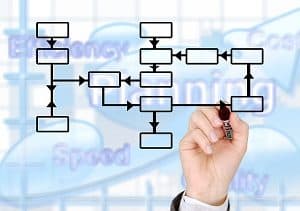
Any process that is highly structured and rules based is a great candidate for robotic process automation.

It’s important to note that any process that requires a human decision can’t be completely automated. You’re still going to need a human to make a decision. But if most of the process before and after is very structured, then you can have RPA and human employees work together to complete it.

Other things to look for in a process that could be performed by RPA:
  • Extremely repetitive and takes a substantial amount of time
  • Requires manual data entry tasks across multiple systems or applications
  • Includes a lot of extracting, reformatting, merging, copying, or pasting data
  • Uses two monitors to copy data from one system into another
  • Generates emails or fills out forms

You can even have RPA go out and scrape data from social media or websites. So, if you’re in the marketing department, you can have your “bot” go out and scrape follower numbers from all of your competitors on all of their social media sites and it will deposit it nicely in a spreadsheet for you.

What are Some Real-Life Examples and Use Cases of RPA?

Okay, so that all sounds good, but sometimes real-world examples are best to show what a “bot” can do for your business.

Here are ways that RPA is currently used in companies:

  • Financial institutions use it to pull credit reports to speed up underwriting and loan processing
  • HR departments use it to read timesheets and generate paychecks
  • Accounting departments use it to continually check for new purchase orders and upload them into ERPs/LOB applications
  • Recruiters use it to read all submitted resumes and cover letters. Documents with the correct keywords are automatically routed to the proper recruiter
  • IT departments use it to set up user accounts when their company hires new employees or to close accounts when an employee leaves
  • Sales teams use it to generate and deliver invoices

And that’s just a sampling. There are uses for RPA no matter your industry or department.

What Do I Need to Do to Get Started with RPA?

It’s important that you start with your end goal in mind. What process do you need to be faster? Which is the least disruptive with the most benefits? The most successful RPA implementations include clear communication and goals, so you need to make sure that everyone is on the same page.
Identify Your Process

The first thing you’ll need to do is to identify a process that’s good candidate for automation (see criteria from section What Processes are Right for RPA?). It should be simple in nature, but also a huge pain point for your current state.

Have a process that never gets completed on time? Need something completed but you can never find the resources? Have one (or multiple) processes programmed by IT to run overnight? These are all signs that a task is the right candidate for robotic process automation (and you don’t necessarily need IT to oversee it!).

Assess Current Software

Before you do a deep dive into researching robotic process automation solutions, take a look at what software you’re currently using. Many programs–including leading LOB, ERP, and document and information management software–have already rolled out RPA “bots.”

For example: both Digitech and Laserfiche feature RPA technology with their document management software. Depending on whether you have on-premise or cloud software, this may already be part of your license, or can be added for a small fee.

If you’re happy with systems you have, and their RPA software can do what you need, then a huge part of the implementation is already done!

Research New RPA Software

If none of your current software has RPA capabilities, then start researching other alternatives. It’s best to dive right in with a search for the “best RPA software” and start reading reviews and product specifications. Be careful on top ten review sites, as sometimes companies pay for better rankings and reviews.

Once you have a list of a few options, reach out to the companies or resellers and ask for demos or a free trial.

If you don’t have the time or resources for a lengthy research period, you may want to consider hiring a consultant to work with you on selecting the best software.

We covered a lot, so here are those section links again if you want to jump back:
Otherwise, we hope this guide was a good starting point in your RPA journey!

If you’d like to know more about RPA options and/or how to take your document-based processes to the next level, please contact us or call (630) 321-0601. We’re passionate about finding the right solution for your business needs.

Have a question or something you’d like to add? Find us on Twitter or LinkedIn. We’d love to hear from you!

4615

publish

2023-01-23 12:00:58

guide-robotic-process-automation-rpa

Everything You Need to Know about Content Services

||||

A couple of years ago, software reviewer Gartner proclaimed that enterprise content management, as a term, was dead. Instead, they repackaged and expanded the concept into a term called “Content Services.”

Even though the proclamation happened a few years ago, the term really hasn’t caught on. The general public – and the industry – still widely calls it document management software or enterprise content management.

laptop document management systemHere on the Datamation blog we’ve talked about the difference between document management and enterprise content management. So what’s the deal with content services?

We cover a lot about content services in this blog post, so here are quick links if you wanted to jump to a particular section:

What are Content Services?

Content Services is a term used to describe the entire ecosystem of your company’s information. This can include document management systems, workflow, application programming interfaces (APIs) and integrations, web-based tools and platforms, and anything used to help your information move smarter and your employees be more productive.

What is the Difference between Content Services and ECM?

The idea of an enterprise content management system was that this one system would be the go-to source for all content in the company. However, this rarely happened in practice. Invoices would be created in one location, employee information was stored elsewhere, and there were many legacy systems that needed specialized integrations.

ECM was envisioned as a “closed” environment that would handle all information needs. Content services promotes openness and connectivity among multiple repositories and systems.

In practice, you’ll likely hear people use ECM and Content Services interchangeably. But for specific definitions:

Document management system (DMS) refers specifically to how you store and access your documents, along with monitoring the lifecycle of those documents.

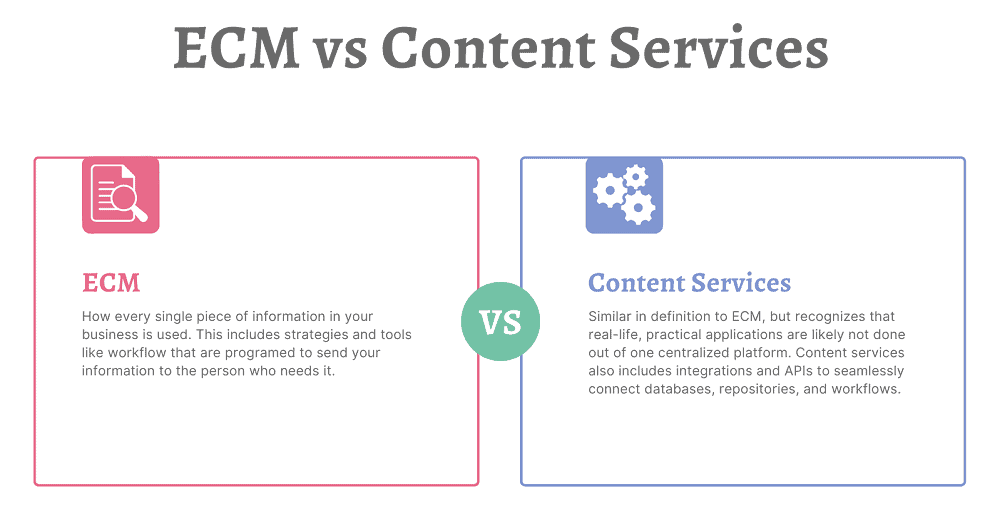
Enterprise content management (ECM) is how every single piece of information in your business is used. This includes strategies and tools like workflow that are programed to send your information to the person who needs it.

Content services (CS) is very similar in definition to ECM, but recognizes that real-life, practical applications are likely not done out of one centralized platform. Content services also includes integrations and APIs to seamlessly connect databases, repositories, and workflows.

That being said, there are many platforms that aim to store, streamline, and automate your content that are also rich in integration opportunities. Those are called Content Services Platforms (CSPs).

What is a Content Services Platform?

According to Gartner, a content services platform is:

“a set of services and microservices, embodied as an integrated product suite and applications that share common APIs and repositories. A CSP exploits diverse content types and serves multiple constituencies and numerous use cases across an organization.”

small version of animated robot for rpaEssentially, a Content Services Platform is the next evolution of an enterprise content management system. It allows organizations to create, store, manage, and transfer information. A content services platform can include:
  • Electronic forms
  • Workflow automation
  • Robotic (RPA) and other intelligent process automation
  • Integrations with leading software (ERP, CRM, HRM, etc.)

Again, while CSPs are designed to be the main system of information management, they also feature the ability to be integrated into other software.

What Are the Different Elements of Content Services?

Content Services are broken into three main elements:

1. Content Services Platforms: the base platform that includes a content repository and acts as the main connector to other services. See above section for more details.

2. Content Services Applications: applications that provide business-focused solutions for functions like HR or IT. These can be separate or built into the content services platform. A good example is the Solution Marketplace for Laserfiche.

3. Content Services Components: components that provide a very specific function. This includes (but is not limited to) document imaging/data capture, electronic signatures, and language translation.

(click image to enlarge)

Why Do I Need a Content Services Platform?

One question that we hear a lot is: why do I need a content services platform when I can just store my files on our company servers or in general cloud storage?

The difference comes down to whether your files are living, active documents or just archival records.

If you’re storing archival records that rarely need to be accessed, then keeping them on your internal servers is a solution that will likely work well. As long as your network is secure, there shouldn’t be any problems with storing those records.

But companies that have lots of active, living documents that need to be accessed by multiple employees and/or departments can gain serious benefits by managing these files in a content services platform.

Benefits of a Content Services Platform

There are many benefits to investing in and using a content services platform.

Known Costs

Content services platforms will have upfront pricing based either on users or storage. There will be no surprises when your bill comes around and it’s easy to estimate costs if you need to scale up.

If you are using an online storage system (like Google Drive, OneDrive, Box, etc.), you can easily reach your free storage limit. We’ve had customers who reached that limit, but continued to upload documents, and were being billed without realizing it.

Records Retention

animated drawing of filing cabinetOften when it comes to records retention, companies just keep everything—just in case. But there’s no reason to. For example, most accounting-related information only needs to be kept for seven years (and depending on the document type, even less than that).
The problem with storing documents in a network folder is that you can’t assign searchable metadata to those files. So you either have to set up a very elaborate folder structure and hope that your employees stick to it, or manually search through the data to determine what can be deleted.

Content services platforms can automate all of this. Simply import documents, and the CSP can pull out relevant metadata (or you can add yourself), file the document in the correct folder, and tag it for a deletion report when it hits the end of its life. What may have taken hours or days manually will take minutes with a content services platform.

Standardized Filing

If you go into any organization, you will find that every employee names and files their documents a little differently.

With a content services platform, decision makers can determine a filing structure and then enforce it across the organization. Permission levels can be set to make it impossible for employees to change or modify the filing structure. This not only makes finding documents easier today but will make it easier for generations to come.

 Accessibility

A paper file can only be in one place at a time (unless there are multiple printed copies and that can cause other issues). An electronic file on a server can likely only be accessed at the office (or via a VPN). Content services platforms are designed specifically so your employees can access them from anywhere. The leading services are cloud-based so employees simply need to log into a portal from a browser.

One thing we hear a lot is that organizations don’t require a CSP because they store all their documents as PDFs in their ERP or CRM system. Not only does this not allow them to be widely searchable, but it can potentially make it harder for employees to access the documents they need if they are not in a centralized repository.

Security

data security privacy integrityDigital documents already have more security than paper ones, because people can’t just pick them up from a desk or pluck them from a filing cabinet.

But content services platforms take security even further. Administrators can assign special permissions to employees (either separately or as a group) so that they are only allowed to see the documents that they should and, if applicable, cannot delete anything from the repository. This means that only people processing invoices can see the Accounts Payable documents and only the highest level of Human Resources managers can see sensitive personal information.

These systems also feature document history and audit trails, so you know exactly who has opened and edited documents.

Additionally, CSPs feature some of the leading cybersecurity to keep your data safe and secure. Most also allow for two-factor authentication for organizations that want to add another layer of security.

Productivity and Time Savings

Being able to log into a document repository, make a search, and immediate find the information you need will allow your employees to work efficiently and service your customers (or students, or members, or whoever you need to provide information to) faster than ever before.

Additionally, process automation tools practically eliminate the time needed for basic tasks. When you’re working on paper, or even with digital documents, how long does it take you to get full and final approval? When you digitize and automate that process, you can reduce approval turnaround from days to minutes.

Ease of Use

Content services platforms are designed for anyone to use. Like all new software, there is a learning curve, but once you get the basics down, you can quickly find whatever information you’re looking for. Folders and projects are simple to add documents to, which is essential for your active, living files.
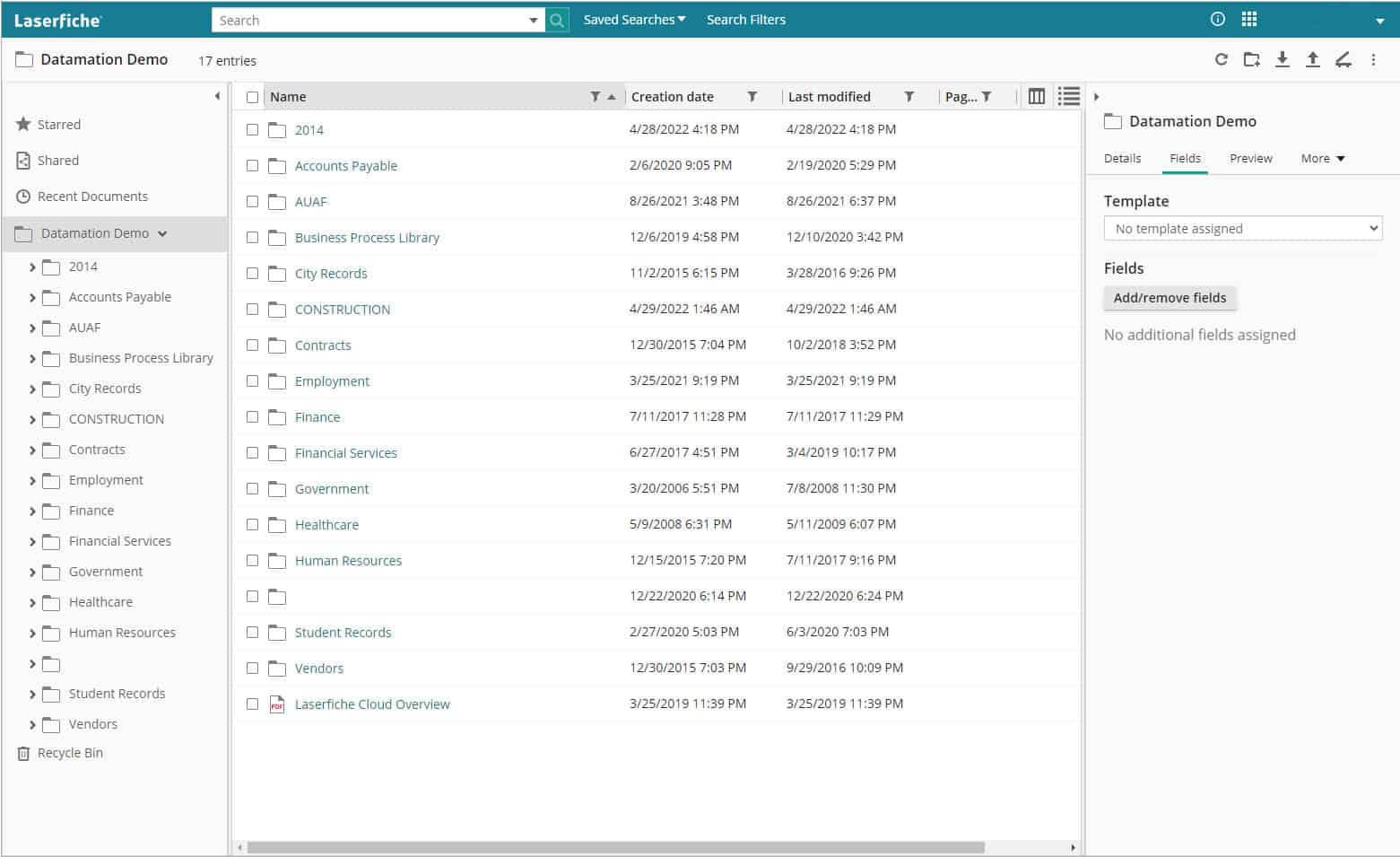
Most CSPs are built on folder or project structures, which means you can click down into the documents you need. Or you can do a text search and bring up all matching documents that you have access to.

CSPs are low- or no-code platforms, which means that advanced features like e-forms, workflow, and RPA (bots) are easy for people to setup without advanced coding knowledge.

Though for organizations with developers on staff, there is plenty of advanced functionality where you can design robust e-forms, workflows, and integrations. More about integrations in the next section.

Integrations

One of the most useful things about content services platforms is their ability to integrate with your other applications.

Think about the next time you hire an employee. With the click of a button, your HR management system can push information to your content services platform, which will in turn generate documents, inform relevant parties, email the onboarding forms, and kick off workflows for ordering equipment or creating user accounts on other systems.

Integrations are key for CSPs, and many of the leading platforms have native integrations with some of the leading accounting, HR, CRM, and ERP systems either right out of the box or easily added. There are also APIs and robotic process automation to connect the CSP to other disparate systems.

Now that we’ve covered some of the many benefits of a content services platform, let’s look at what you need to consider when selecting one for your business.

What Should I Consider When Shopping for a Content Services Platform?

There are a lot of CSPs, and each has their own strengths and weaknesses. However, you can find the right one for your business by doing some research.

animated checklist icon1. Determine which of your current systems are essential for business

As in, make a list of the software that you use and want to keep using for your organization. This includes ERPs, HR and/or accounting software, CRMs, and other custom applications built and used in your business (commonly referred to as line of business or LOB applications). You’ll want to have this list ready to see if your prospective content services platform features any direct integrations or easily added connector software.

Running older programs that don’t generally have APIs or integrations? Not to worry – depending on what you use the software for, RPA can likely log in and perform basic tasks (e.g. data scraping, copy/pasting).

2. Think about what functions your organization will use now and how you would like to grow

While having all of your documents digitized in one centralized location is a great start to digital transformation, the real power of content services platforms is how you collect and use data. Think about what information you collect via paper forms and your processes around them. It’s likely that all of that can be digitized, and a lot of it can be automated, but you’ll need to make sure that your CSP has that capability.

3. Partner with a consultant

Because there are so many different content services platforms, we recommend finding a trusted consultant or partner who can match your company and its needs with the right software.

We recommend this because consultants are intimately acquainted with the software and can answer your questions, offer realistic recommendations, provide best practice scenarios, and determine what integrations or workflows you will need. They also work closely with the software companies, so they will know about new features coming up in the product development. Additionally, they have access to demo accounts so you can try systems for free before you commit.

In full disclosure: Datamation is a content services consultant, and we would love to work with any company on their digital transformation journey!

4. Start your research

If you prefer to handle your project internally, then it’s time to do some research. Armed with your notes from steps one and two, it’s time to start diving into systems.

Start by going to software review websites to see how experts and customers rank their systems. Some great places to start are:

Remember: Enterprise content management systems and document management systems can also be content services platforms.

Pay extra attention to platforms listed as customers’ choice—these are ranked by actual users of the platform and not the website review team. It’s good to know how actual users feel because it doesn’t matter how cool a system looks, or how many features it boasts, if your employees don’t use it. It is not worth your investment.

Make a list of 5-10 content services platforms that you would like to research further and then go to their websites. The software websites will show you top features more in-depth and should have a listing of their integrations.

From there, you should be able to narrow down your list to 2-3 platforms. This is when you would request information from the sales team or setup a demo account. When you have demo accounts, make sure to use actual files from your organization so you can test how you and others would interact with the platform.

After gathering more information and/or trying the demo accounts, the right CSP for you should be obvious. But if you’re still unsure, consider looking for that right consultant or partner for more guidance!

There’s a lot to content services, so if you want to review a section, here are the quick links again:

Thinking about a new content services platform for your organization? We’d love to help you find the right one for your business. Contact us or give us a call at (630) 321-0601.

Questions or comments on this article? Find us on LinkedIn or Twitter.

6511

publish

2022-07-15 16:51:38

content-services

Benefits of Digitizing Your Microfilm and Microfiche

When’s the last time that you used a microfilm reader? Unless you’re a librarian, archivist, or historical researcher…it was probably a really long time ago, if ever. While microfilm and microfiche were great ways to store information, they’re a bit outdated now. After all, you’re reading this blog post after a quick internet search – now imagine you can do that with the data on your microfiche. That’s just one of the benefits to digitizing your microfilm and microfiche.

Interested in learning more? Let’s cover all of the benefits of digitizing your microfilm and microfiche:

1. Preserves Information Accurately

One of the problems with microfilm is that unless it is stored in absolutely perfect conditions, it starts to fade and disintegrate over time. (And even if it’s stored in absolutely perfect conditions, it lasts for 500 years. Can you keep conditions perfect for 500 years?)

This is a major concern if you rely on that information.

But when you digitize that microfiche, all of the information is captured accurately before it can fade. And then once your files are digital, they can be brightened, sharpened, and corrected. This means that even if your fiche isn’t in perfect condition, the information isn’t lost.

Once your film and fiche are converted and corrected, they’ll last forever as digital files.

2. Improved Document Control

While it’s true that someone really has to be committed to pull out some microfilm, boot up the machine, and find the correct panel…is there anything to stop them?

Once you have digitized your microfilm and microfiche, information can be password protected and even redacted if it’s confidential. And depending on the kind of content management system you have, you can also restrict access to particular folders or types of information.

With digital files, you can make sure that data is seen only by the people who need to see it.

3. Searchability

After converting microfiche and microfilm, files are indexed, which means that all the information is now keyword searchable.

So instead of trying to remember a particular roll of film and then digging through boxes or filing cabinets, you simply type in a word, date, or name and the information will come right up.

4. Instant Accessibility

When it comes to microfilm, there’s no such thing as instant access. It needs to be found, loaded, and manually searched through before you, hopefully, find the right image.

But once your film or fiche is digitized, all of your files are instantly accessible from the comfort of your computer. Instead of spending hours locating the one piece of information that you may need, you can call it up with a few keystrokes and clicks of your mouse.

Also? You can easily share information with people outside of your organization via a simple email or link.

people using microfiche and microfilm readers

Why deal with these if you don’t need to?

5. More Physical Space

Wouldn’t it be nice to have more space in your office, school, or library? Getting rid of your boxes of microfilm and microfiche is an excellent way to do that.

When you convert your files to digital, they can live on a company server or the cloud—equipment that you either already have or is stored elsewhere. That means you can gain some serious square footage without needing to move.

6. Increased Efficiency

As we’ve discussed, it takes a lot of time to locate a single piece of information on microfilm or microfiche. The physical set up to search takes a decent amount of time, and then the actual search can take hours if you aren’t exactly sure what you’re looking for.

When files are digitized, employees can do a simple search, find their information, and get on with their day. This opens up lots of time for your employees to be doing something else that’s more valuable to your business, customers, and/or patrons.

7. Save Money

Not only will you be saving money by having your employees be more efficient, but you can also save money by not having to maintain microfilm/microfiche readers or machines. Also those perfect conditions we mentioned earlier? You won’t need to worry about preserving your files in the right climate, which can be costly if you operate in a very cold or very warm area.

8. Peace of Mind (and Digital Backups)

No matter where you live or work, there’s always some kind of chance of natural disaster. Tornadoes, hurricanes, freak weather accidents—obviously we hope they don’t happen, but you can never be sure.

When you digitize your records, your information will there no matter what might happen to the physical copies. Even if you want to keep your physical microfilm, you’ll at least have a digital backup just in case something happens or you’re audited.

As you can see, the benefits of microfiche and microfilm conversion are significant. You can save money, increase efficiency, and get more room in your building all by digitizing your records.

If you’re ready to realize these benefits, contact us today or give us a call at (630) 321-0601.

This post is part of the Datamation Guide to Digitizing Your Microfilm. Picture credit to Pete Birkinshaw on Flickr.

2269

publish

2022-06-25 11:00:11

benefits-digitizing-microfilm-microfiche

The Datamation Process of Digitizing Microfilm

If you have a bunch of microfilm in storage, thinking about digitizing every single roll can be intimidating: the effort, the time, the cost—is it worth it? The first piece of good news is that the benefits far outweigh any kind of investment. And the second piece of good news is that you don’t have to tackle it alone.

Datamation has over twenty years of experience in microfilm and microfiche conversion and we’ve got the process down to a fine science of just four steps. Our experienced and specialized team can take those rolls of microfilm and efficiently turn them into accessible, searchable information.

microfiche conversion process

Here are the four easy steps of microfilm digitization, broken down one by one:

Step 1: Collection

Datamation comes to your business or organization and collects all of your microfilm jackets and rolls in a Datamation vehicle. No third party will ever have access to your information. Your microfilm is brought to our secure facility to begin processing.

Step 2: Scanning and Indexing

The microfilm is scanned with our top-of-the-line equipment and we use optical character recognition (OCR) technology to extract the data from your microfilm. We then index the information to make it searchable for you.

Step 3: Conversion

Once the data has been indexed, the information is then converted into PDF, TIFF, or any other file format your business or organization prefers.

Step 4: Upload

We then upload these files in any necessary format, making them immediately accessible at any time. Datamation can provide your information via flash drives, file transfers, or even get you set up on a cloud system. It’s all up to what works best for your organization!

The process of digitization is nothing to be daunted by—Datamation can do all the heavy lifting for you, quickly and efficiently. We do all the work and you reap the benefits.

Not sure where to start? Call Datamation at (630) 321-0601 today for a free consultation.

This post is part of the Datamation Guide to Digitizing Your Microfilm.

1716

publish

2022-02-11 06:00:00

digitizing-your-microfilm-breaking-it-down

Datamation Case Study: Growing VistaLink Health with Laserfiche

As COVID-19 started to spread across the United States, David Fleming knew he needed to help. Having previously owned a company that provided ancillary geriatric care to nursing homes, he saw the need for nursing homes to have a turnkey solution to COVID-19 testing. Nursing homes needed a service that would test residents and staff and quickly report back the results, but especially, they needed data that was dependable and easy to understand. So, Fleming launched VistaLink Health Group, LLC.

While demand for COVID-19 testing was high, VistaLink couldn’t grow their company and keep pace with that demand. Manual paper processes completely bogged down their staff. They could not take on new clients when they had to coordinate patient testing, monitor lab portals for results, download results, and send those results to the nursing homes. Printing and scanning paper forms took up valuable patient care time. Tracking which patients needed testing was a logistical headache.

Because everything was paper based, they had to limit the number of samples they could send to a lab. The labs backed up while staff re-keyed patient information prior to running the tests. And with any manual keying activity, left room for potential inaccuracies. This process slowed down testing and reporting the results.

“Managing the data is essential to our business,” Fleming says. “It’s paramount. Our services are all about having data available and having it available in ways that are digestible for our clients and our partners.”

It was clear they had to automate tasks and increase their efficiency to provide better service to their customers and to enable them to grow the company.

Finding the Right Data Management Partner and Solution

After researching and speaking with multiple companies, VistaLink chose Datamation to assist with their data management. Based on VistaLink’s needs, Datamation suggested using Laserfiche and their full suite of process automation tools to help streamline the company’s data gathering, sharing, and management.

The first step was to create a Laserfiche customer portal. The portal provided prompt reporting for all their clients in an easy-to-navigate interface that required minimal training. Nursing home administrators simply needed to log into the system to see the results of their site’s tests. However, as over 40% of all COVID-19-related deaths occur in long-term care facilities, it was clear that more was needed.

The next step was providing immediate email notifications to the facility’s Administrator, Director of Nursing, and others. If a test result comes back positive for COVID-19, a Laserfiche Workflow gathers the information and generates an email notification. This notification is sent to the recipients as soon as it arrives and directs the recipient, using a HIPAA-compliant link, to view the result. This allows VistaLink’s clients to quickly react and control the spread of the virus.

Nurse practitioners now use electronic forms on tablets for the COVID-19 testing and symptom data collection. This information is gathered, the barcodes are scanned, and the data is validated. All this information is then automatically pushed to the labs so they can prepare for the tests they need to process. Instead of manually keying in patient information, the labs scan the vial and the data is pre-filled, expediting the process.

Once tests are processed, the data is pushed to a hosted Laserfiche solution. Laserfiche’s workflow automation kicks in to send the proper data to the proper nursing home. At the same time, it delivers those instant email alerts for positive results.

Automating as many processes as they can is critical because it allows VistaLink to scale at exponential rates without diminishing the service they provide for their clients, or the care that their clients provide their patients.

Providing Timely Data, Keeping Customers Happy, and Saving Money

What’s best about this data management solution isn’t just that it’s making VistaLink Health’s processes and business more efficient. It’s also making day-to-day operations for their clients more efficient. COVID-19 demands top care and quick decisions to keep nursing home residents and staff safe and healthy.

woman looking at tablet digital transformationBy using the Laserfiche portal and electronic forms, the information gathering and sharing processes have been streamlined. With all results in a centralized location, everyone from a specific nursing home—each nursing home can only see their patient data—can work off the same data to make their decisions. By having immediate alerts, nursing home staff don’t have to spend the time to log in to check if there is a positive case.

Additionally, by providing quick, useful data, VistaLink doesn’t have any customer churn. The timely and dependable reporting strengthens the relationship with their customers, which gives them access to referrals and other services. Fleming explains, “This solution has allowed us to provide a lot more care with the same operational capacity. We can actually add more services and clients and not increase our cost of doing business.” VistaLink estimates that their operational savings in direct staffing costs is over 30%.

Every year, Laserfiche “recognizes organizations that use Laserfiche to improve productivity, innovate processes and achieve exceptional business results.” This solution for VistaLink won a Laserfiche Run Smarter Award in the category of COVID-19 response.

Continuous Process Improvement

As a next step, VistaLink and Datamation plan to install Laserfiche RPA bots to serve as a connector between VistaLink’s Laserfiche Portal and nursing home care applications. Instead of a nursing home staff member logging into their system to get specific patient data, the bot will extract it from VistaLink’s system and push it into that patient’s file.

VistaLink and Datamation have even more automation projects slated for deployment. For each project, they will look to the Laserfiche suite of automation tools to streamline as many processes as possible. Whether it is adding more nursing homes to their clientele or administering vaccines, VistaLink Health will be able to provide the best possible service to their clients.

“Our business is constantly morphing in ways that grow our services to make a difference in peoples’ lives,” Fleming explains. “Because if we’re not making a difference in their lives, what’s the point?”

About VistaLink Health, LLC

VistaLink Health, LLC is a private company with a public mission. They are responding to the CDC mandate for SARS-CoV-2 (COVID-19) testing. They are a practice management and consulting enterprise engineered to provide leading-edge solutions and clinical deliverables to long-term care facilities, senior living communities, and other test sites.

About Datamation Imaging Services

Since 1995, Datamation Imaging Services has provided document and data management consulting and imaging services for numerous clients across the country. Datamation has helped hundreds of businesses implement cost-effective, time-efficient document imaging solutions. They offer an array of imaging options, including document scanning, data entry, OCR, business process automation, online document management software, and backlog conversions of existing files.

To learn more about Datamation, visit our about page or call 630-321-0601.

6218

publish

2021-05-05 22:05:37

case-study-vistalink-health-laserfiche

Illinois Student Online Personal Protection Act (SOPPA)

If you work for an Illinois K-12 school district, then you’re likely aware about the changes to the Student Online Protection and Privacy Act (SOPPA). These changes require school districts to do more heavy lifting when it comes to keeping student data safe and secure. They went into effect on July 1, 2021.

There’s a lot to cover with SOPPA, so feel free to use these links to skip to a section:

Datamation co-hosted a webinar about SOPPA that contains much of the following information.

SOPPA Background and Legislative Intent

The intent of the SOPPA Act is to ensure the protection of student data when collected by educational technology companies. While the data may be used for beneficial purposes such as providing personalized learning and innovative educational technologies, the data is also susceptible to breaches. The Act requires additional safeguards to protect student data collected by educational technology companies. SOPPA also requires that companies use the data for beneficial purposes only. Again, became effective as of July 1, 2021.

Schools today increasingly use a wide range of online services and other technologies to help students learn. However, educational technology companies must ensure the privacy and security of student data collected. Schools and educational technology companies must create safeguards to keep private information secure.

The need for SOPPA arose out of various data breaches that compromised personal information in an online student data system.

Datamation Imaging Services complies with SOPPA by using extensive security and privacy measures in its systems and practices to ensure the use of any content or data in its systems is protected and used specifically for the benefit of the district only.

Educational Technology in Schools

While student tracking appears to be less publicized at the elementary and high school levels, big tech’s presence in classrooms looms large. In the 2017-2018 school year, the top five digital products used in K-12 classrooms were from Google; it’s a trend some call the “Google-ization of the classroom.”
With the popularity of Google’s G Suite for Education — a collaborative Google platform with more than 90 million users worldwide as of April 2019, according to estimates provided by the company to Teen Vogue — some worry about how the tech leviathan may be using kids’ data.

In their privacy notice for the product, Google does generally lay out how it collects user data but advocates and parents are concerned about specifics.

What Is Covered under SOPPA?

SOPPA covers Personally Identifiable Information (PII) or material or information that linked to personally identifiable information or material in any media or format that is not publicly available.

Under SOPPA, the definition of school is any preschool, public kindergarten, elementary or secondary educational institution, vocational or secondary educational agency or institution. This includes private or nonpublic schools.

Illinois School District SOPPA Requirements

Below is a high-level overview of the new requirements. Please refer to the legislation for specific timelines and components of each element. School districts must:

  • Annually post a list of all suppliers/providers of online services or applications utilized by the district.
  • Annually post all data elements that the school collects, maintains, or discloses to any entity. This information must also explain how the school uses the data, and to whom and why it discloses the data.
  • Post contracts for each operator within 10 days of signing.
  • Annually post subcontractors for suppliers/providers.
  • Post the process for how parents can exercise their rights to inspect, review and correct information maintained by the school, operator, or ISBE.
  • Post data breaches within 10 days and notify parents within 30 days.
  • Create a policy for who can sign contracts with operators.
  • Designate a privacy officer to ensure compliance.
  • Maintain reasonable security procedures and practices. Agreements with vendors that handle PII must include a provision that the vendor maintains reasonable security procedures and practices.

Strategy to Comply with SOPPA

For organizations to comply with SOPPA, it is critical to designate an individual responsible for compliance, similar to that of a FOIA officer. This person must be knowledgeable of the terms of the SOPPA Act as well as put practices in place to ensure the district meets the terms of SOPPA.

For example, for years financial institutions and pharmaceutical companies have been vetting prospective vendors to ensure their system security and practices were thoroughly secure and provided appropriate levels of privacy. Many of these organizations have incorporated this into their purchasing process. They also have a vendor relation and/or compliance person or department tasked with screening partners and vendors.

School District Duties

animated checklist iconThese are duties that public school districts must follow:

  • School districts must adopt a policy for designating which school employees can enter into written agreements with operators.
  • Each school shall post and maintain on its website or, if the school does not maintain a website, make available for inspection by the general public at its administrative office:
    • An explanation of the data elements of covered information collected by the school
    • A list of operators/vendors/suppliers that the school has an agreement with
    • Procedures a parent must use to access covered information
    • A listing of any breaches realized
  • After a determination of a breach of covered information maintained by the school, a school shall notify, no later than 30 calendar days after receipt or the notice or determination that a breach has occurred, the parent of any student whose covered information is involved in the breach.
  • Each school must implement and maintain reasonable security procedures and practices that otherwise meet or exceed industry standards designed to protect covered information from unauthorized access, destruction, use, modification, or disclosure.
  • Each school may designate an appropriate staff person as a privacy officer, who may also be an official records custodian as designated under the Illinois School Student Records Act, to carry out the duties and responsibilities assigned to schools and to ensure compliance with the requirements of SOPPA.
  • A school shall make a request to delete covered information on behalf of a student’s parent if the parent requests from the school that the student’s covered information held be deleted. However, the deletion of the covered information must not be in violation of state or federal records laws.

Again, these requirements apply to public schools only. Private schools do not have to meet all of these requirements. If you work for a private school, please seek guidance from your legal counsel.

Datamation and SOPPA Compliance

SOC Audit & Compliance

As business continues to shift into remote work, companies not only need to have easy access to their documents online but also must consider the security of those sensitive documents while being digitized. Finding a company you can trust to have the highest security standards is vital when seeking a partner to outsource processes such as mailroom, document scanning, cloud document management software, and workflow automation services.
Since 2014, Datamation Imaging Services continues to receive its SOC 2 Type 2 Report. SOC 2 Type 2 is an audit that guarantees a business process outsourcing (BPO) partner has successfully implemented and follows a set of operating procedures that ensure all documents are handled securely while in their facility. A SOC 2 Type 2 accreditation is a guarantee that an organization follows both internal and external compliance guidelines accordingly.

A third-party completes the accreditation and audit. The third-party audits internal processes for a period and makes sure up to five “trust principles” are being met. Those five standards for the compliance guidelines are: security, confidentiality, availability, processing integrity, and privacy. Passing the accreditation process means that a third party has verified a business is trustworthy. The business has a clear process in place to protect their clients’ sensitive information.

In summary, passing a SOC 2 Type II audit ensures that all customer data is handled in a secure, private, and confidential manner.

Please contact Datamation if you would like a copy of our SOC 2 report.

Safety & Privacy Protocols

security lock remote work document managementDatamation implements many practices and protocols to ensure compliance with SOPPA. These include:
  • Encryption: All data is encrypted in transit as well as at rest. All connections to the system are secure via HTTPS. All encryption pass phrases are stored in an encrypted state.
  • User Sessions: System usage is granted using a unique session ID that is passed between the system and the user. The session ID is also encrypted. Systems will automatically disconnect user sessions after a defined period of inactivity.
  • SSL: All external facing portals, where customers access their data, are secured via SSL.
  • Facility and Network Security: A limited number of staff have physical access to the facility. Logical access to the networks is in place and monitored.
  • Vulnerability Assessment: A third party performs regular vulnerability assessments using tests and monitoring to identify and resolve critical risk vulnerabilities.
  • Intrusion Protection Systems: Administrators constantly monitor system firewalls and IPS logs to ensure system usage.
  • Mirrored/Backup: Sites are securely backed up synchronously and in a separate location using a separate power grid.
  • Inaccessible Data: All systems used never expose customer data to a public network. An internal secure network stores data on a separate server from any other database or data.
  • Secure User Access: Users must authenticate to the application with unique user IDs and complex passwords that change regularly.
  • New User Authorization: Requests for new user accounts must come from an authorized client contact. In addition, policies exist for modifying user access and the removal of users who no longer need access.
  • Surveillance Cameras: The Datamation facility has security cameras that monitor production activity as well as facility access.
  • Data Classification: Policies and procedures are in place for classifying data based on its criticality and sensitivity. Proper classification will define protection requirements, access rights and restrictions, and set retention and destruction requirements.

Masking of Personally Identifiable Information (PII) Data

Security settings and user rights can mask or hide Personally Identifiable Information (PII) Data elements. In addition, systems can redact and encrypt data for additional security.

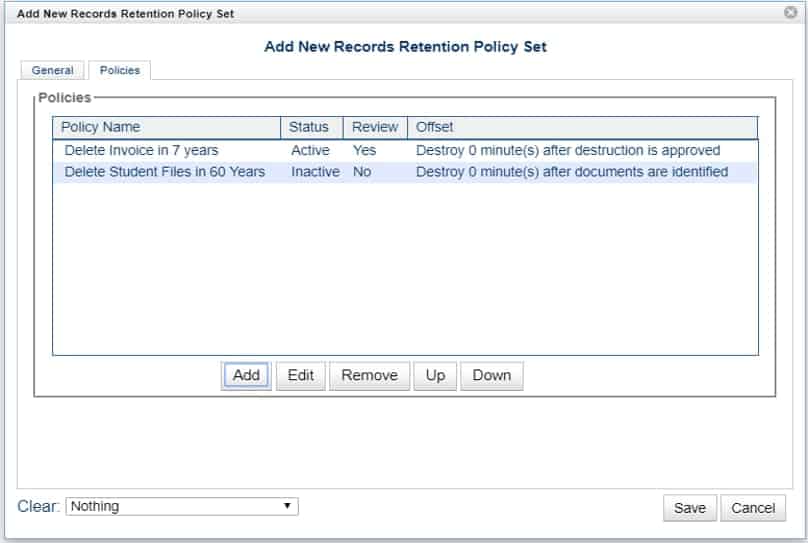
Data Retention and Destruction

When confidential information meets its retention requirements, the system regularly and systematically tracks and destroys that information. See the following graphic for sample records destruction rules.

In Summary

Datamation Imaging has been studying SOPPA since 2019 to understand and comply with this legislation. Datamation’s services and systems provide school districts an increased ability to comply with not only SOPPA, but FOIA, NCLB, FERPA, and other compliance guidelines.

Please note that the data in this post is collected information and recommendations.  A school district should gather final information from its legal counsel.  Datamation uses, and recommends, the Tressler Law Firm as they have a team of experts in SOPPA compliance.

In the meantime, it’s important for school districts to learn and adopt practices to ensure that the district, and its information vendors, are in compliance with SOPPA.

Typically, districts maintain records much longer than they should. To address this, a district should:

  • Review, update and approve their document retention schedule
  • Purge paper and electronic files according to schedule
  • Don’t keep what you don’t need to keep
  • Keep archived, but retained, records in a secure and private content management system. A secure system ensures compliance, retention and privacy guidelines

For more on Illinois school district retention rules and policy, check out these resources:

If you have any questions about how Datamation works with school districts or are interested in our ultra secure and SOPPA-compliant solutions, do not hesitate to contact us or call (630) 321-0601. If you currently work with Datamation, you can download a PDF copy of this post as a SOPPA exhibit.

6191

publish

2021-04-18 11:00:29

student-online-personal-protection-act-soppa

Digitizing Your Microfilm, Microfiche, and Aperture Cards

Microfilm, microfiche, COM fiche, and aperture cards are distinctly different ways to store media, but they do have one thing in common: they’re not easy to use when you want to find information quickly. But information can be easier to access when you digitize your microfilm and microfiche.

Let’s cover the different forms of media storage, collectively known as microform, and how they are converted to digital.

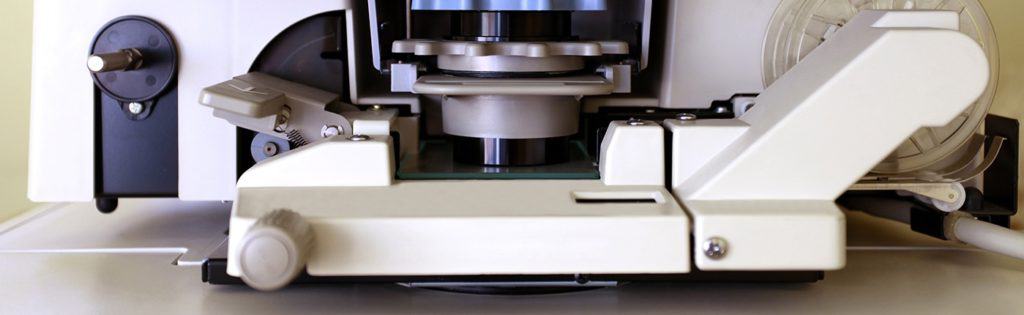
microfilm scanner

Microfilm

Microfilm consists of a series of small images (generally newspapers, books, records, or pictures) that are stored on a film reel. These images can only be seen and read with a microfilm reader, making it difficult to access for research. It comes in different sizes, including 16mm and 35 mm film.

Microfilm, especially older microfilm, is delicate and can be ruined if it is handled too roughly, so it is vital that it is scanned by an expert.

Aperture Cards

Aperture cards are really an extension of microfilm. One aperture card holds a 35 mm. Microfilm chip that is embedded in the card itself. The card is punched and coded with indexing information for the image. Also the image’s metadata may have been placed along the top of the card. Aperture cards are largely used for engineering drawings.

Aperture card conversion requires highly specialized microfilm scanners, especially since there are 16mm and 35 mm images as well as the Hollerith metadata from the punches.

Microfiche

Microfiche is similar to microfilm in its purpose, except that the images are stored on a sheet rather than a reel. Microfiche sheets are typically 4×5 inches and are used to store images.

When microfiche is scanned, it is vital to capture each image on the sheet as every sheet is different and there are so many kinds of microfiche. Some of the different forms are jacketed fiche, computer output microfiche (more on that later), 105mm fiche, step and repeat microfiche, and ultrafiche (oversized).

COM (Computer Output Microfilm) Fiche

COM fiche is microfilm that is generated from a mainframe data stream or print file. Typically, COM fiche is a series of images produced at a 24x or a 48x reduction ratio.

If you have a lot of microform, you are probably well aware that it takes a lot of time to access the information stored within. But if you convert it to digital, you’ll realize a ton of benefits, like easy access and searchability.

Handling and digitizing microform is a delicate process that takes true expertise and experience to carry out well. Datamation has the experience and the technology to take your delicate microfilm and microfiche and make it searchable and easily accessible. All too often, historical records and images stored on microfilm are damaged, which means that valuable information is lost forever.

Contact Datamation to transform your microfiche and microfilm into functional, searchable information today.

This post is part of the Datamation Guide to Digitizing Your Microfilm.

1719

publish

2021-02-26 06:00:00

digitizing-your-microfilm-microfiche-and-aperture-cards

Record Retention Rules and Best Practices for Multiemployer Funds

Datamation has worked with benefit funds, including multiemployer funds subject to Taft-Hartley compliance, for over 25 years. And in those 25 years, we’ve learned that no two funds have the same set of retention rules for their documents.

If your fund office doesn’t have an official record retention policy, or maybe a loose set of guidelines that aren’t exactly enforced, rest assured that you are not alone. That’s why we recently partnered with benefit fund administration software company, ISSI Systems, on a webinar reviewing retention rules for fund offices, how you can start on your own retention policy, and best practices on how to stick to those schedules.

We’ve embedded the replay below, or you can continue on with the blog post.

How Long Do I Need to Keep Fund Office Records?

Whenever we start working with a new fund office client, we often hear, “How long do I need to keep these records?” And the answer? It really depends on the record!

In general, all plan-related records should be kept for at least seven years, but many need to be maintained permanently, and others until the participant in question is paid their benefit under the plan.

We’ll list specific types of documents below. We gathered all this information via the International Foundation of Employee Benefit Plans.

Fund Documents Recommended to Keep Permanently

These records should be kept permanently:

  • animated safeMinutes of board meetings
  • Contribution reports*
  • Participant files
  • Trust agreement and amendments
  • Investment guidelines
  • Form 5500
  • Form 990
  • Application for IRS qualifications
  • Summary plan descriptions
  • Documents evidencing trustee appointments
  • Fiduciary liability insurance
  • Reports from independent auditors
  • Actuarial reports
  • Jurisdiction

*Parts of contribution reports are sometimes classified as accounting files and thus have a retention of seven years. See next section for more.

Fund Documents Recommended to Keep Six Years + Current Year

animated filing cabinetMost of the records listed here are your financial documents:

  • Collective bargaining agreements
  • Pension payments
  • Bank statements
  • Canceled checks
  • W-2 forms
  • 1099 forms
  • Expired insurance policies
  • Fidelity bond
  • Actuarial reports

The recommendation of six years plus the current year is generally simplified into seven years in retention schedules.

 Fund Documents Recommended to Keep Four Years

There’s only one record type that currently has a four-year retention guideline:

  • Enrollment cards

Many funds store enrollment cards with participant files. So while you may be able to dispose of them after four years, it’s a lot of manual work to comb through participant files and pull out enrollment cards that have met their retention. We’ll get to solutions for that soon.

Making a Document Retention Schedule for Your Benefit Fund

animated checklist iconNow that you’ve read the recommendations for file retention, we want to be clear that this does not mean that you should copy and paste these lists and call it a day. Every fund office has different needs and may have different state or local guidelines. This is just a starting point to your official retention policy.

When it comes to drafting an official document retention policy, you must meet these three criteria:

  • The policy must be in writing.
  • The policy must be reviewed by your legal counsel.
  • The policy must be approved by your board.

All of these are necessary, but the legal counsel piece is key. Every state has different rules about how long documents need to be kept, so you will need to keep those in consideration as you draft your policy.

Determine Your Level of Risk

Additionally, you also need to consider your level of organizational risk. Some fund offices like to keep records longer than federal mandates. Some offices like to keep documentation forever. However, if you keep documents and data longer than their necessary retention, your organization will be liable for that data.

For example, if litigation comes up that requires documentation from your fund, you are required to turn over all necessary data. However, if the data has already met its retention and been purged, you would not be required to produce it.

There are pros and cons to keeping data longer than required, so it’s up to you, your legal counsel, and your board to decide what level of risk is right for your fund office.

It’s also important to stay up to date on any legal changes that may impact your retention policy. Many states seem to be trending to shorter retention periods. So something that may need to kept for seven years now could be shortened in the future.

Here are some additional resources for developing your records retention policy:

Best Practices for Managing Document Retention Schedules

Now that we’ve gone over the foundation for creating a record retention policy, let’s cover some best practices on managing said retention policy.

Digitize Your Multiemployer Fund Office Files

The simplest way to management your documents and their retention schedules is to digitize your files. Digitizing your files opens up the possibility to automate your retention policy. As in, you can set the retention schedule for a document and you don’t need to think about it again until it reaches the end of its lifecycle.

You’ll need to look into a document management system to accomplish automated retention schedules. We recommend the PaperVision or ImageSilo systems as we have direct integrations with leading benefit fund software. However, nearly any leading document management system will have this capability.

Remember the enrollment cards from before? With a document management system you can flag those documents for a four year retention. When their retention has been met, you will get an alert from the system. That’s a lot more efficient than looking through individual file folders!

Scanning Your Paper Records

When it comes to the actual conversion of paper records, you can either purchase scanners and do this yourself, or you can outsource your backfile scanning to a document scanning company.

Keeping the scanning in-house allows greater control over the project, but it is also a time-consuming process. Also, once the backfile scanning is complete, you may have equipment that isn’t useful going forward. Read our article about in-house vs outsourced scanning for more.

In general, our clients opt to handle the day forward scanning themselves, but let us manage their backfile paper and microfilm scanning.

Complete a File Assessment

Whether you decide to digitize your files or not, it’s a good idea to get a full understanding of the documents that you have.

First, gather your files. They may be on-site in filing cabinets and boxes, off-site in a warehouse, or they could already be scanned and sitting in folders on your server.

Second, look through these documents and classify them (e.g. contribution report, board minutes, etc.).

Third, decide on the record’s disposition. This generally falls into the buckets of capture/scan, shred/destroy, and warehouse/store. Should we scan the record? Should we destroy the record? Do you want to scan it and then store it off-site anyway? There isn’t just one choice, so make sure that you have the right decision makers involved with these conversations.

Please note that while fund offices can do this themselves, a good document management company (like us!) will be able to do this for you or give you the tools to simplify your own assessment.

Other Benefits of Digitizing Your Multiemployer Fund Office Files

woman looking at tablet digital transformationConverting your documents into electronic files doesn’t just make retention easier. There are plenty of other benefits, such as:

  • Immediately gain more space in your office
  • Access documents from anywhere, whether working remotely or traveling
  • Superior privacy and compliance, especially for HIPAA
  • Digital backups for quick disaster recovery
  • Simplified auditing process: auditors can only see the files you allow them to see and can access files remotely
  • File integration with other digital systems, like ISSI

To learn more about the ISSI integration, please watch the video embedded higher up on this page. There is a demo at the 18 minute mark.

Your Next Steps

We’ve covered a lot in this article, so once again, here are steps you should take:

  • Review or create document retention schedules using the resources here as a starting point
  • Stay up to date on legal changes both at the federal and state level
  • Confirm retention policy with legal counsel and board
  • Find and assess your fund’s records
  • Consider digitizing your files to streamline retention schedules and other processes

If at any point you have questions about this process or want some more insight, don’t hesitate to contact us or call (630) 321-0601. If you have comments on this article, please find us on LinkedIn or Twitter!

6183

publish

2021-02-11 12:00:39

record-retention-rules-multiemployer-funds

Top 3 Areas Driving Demand for Digital Files Due to COVID-19

When state governments enacted stay at home orders to slow the spread of COVID-19, the need for digital files skyrocketed. While many companies were already making a transition to paperless offices or had formal work from home policies, there some that were still relying heavily on paper.

As a document scanning and management company, we’ve seen a large interest in digitizing files in three areas: human resources, mailrooms, and microfilm records. These three departments are rapidly digitizing, no matter what the industry. This makes sense as all of these areas require timeliness, privacy, and accessibility for their records.

Let’s get into why these areas are seeing such a demand in digitizing.

1. Digitizing Human Resource Records and Processes

Human Resources is by far the most common area where businesses are scanning their records. We’ve spoken with industry peers across the country and they are also seeing a huge demand in human resources scanning.

And really, this makes a lot of sense. Human Resources is heavily dependent on paper and information. They require lots of processes and approvals for a variety of daily functions. When offices closed, they didn’t have access to their filing cabinets. But employees still needed to perform essential functions like hiring and onboarding. Having all existing and incoming personnel paperwork digitial enables the HR employee to work productively even while remote.

Here at Datamation we’ve seen a large increase in web traffic and calls about scanning HR files. Some are smaller companies that previously relied on paper-based processes. However, most are large companies with multiple offices that absolutely need virtual access and digital routing of personnel records. Without the ability to access their records virtually, HR employees are heading to the office to access records. Depending on the company, this can require management clearance, an exception to the remote work policy, and an office cleaning. Not to mention it can possibly compromise the employee’s health and safety.

2. Incoming Mailroom Processing and Scanning

Even if your employees aren’t in the office because of COVID-19, your mail is still heading there. As many companies don’t want to compromise the health of an employee, or need to make cuts due to the current recession, they’re looking to outsource their mailroom.
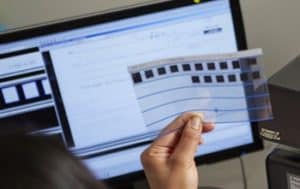
The process is simple: incoming is mail is picked up or routed to a scanning company (like us!) or sent to a P.O. Box managed by the third-party company. The company opens, scans, and indexes the mail by the intended recipient. After that, the digital images are uploaded to an FTP site so the company can download the images and process them accordingly, or a cloud-based document management system so each user can access their own mail independently.

Receiving your mail digitally enforces privacy. It also ensures quick document delivery to remote workers for prompt processing. Businesses need to receive about 50 pieces of mail per day to really see the benefit, but it’s simple to implement and cost-effective.

3. Scanning and Digitizing Microfilm and Microfiche

One of the most surprising things has been the increase in demand for microfilm scanning. While converting microfilm and microfiche to digital is one of our standard services, we’ve seen organizations of all sizes and industries reach out about digitizing this type of media.

This is because so many more people are working remotely and can’t access the microfilm and appropriate reader equipment at the office. For any company that was considering a conversion but wasn’t quite ready to make the investment, the pandemic reshuffled their priorities.

Records on microfilm and microfiche are generally archival in nature, so they don’t need to be accessed that often. But when they do (for example: when needing to check a 45-year-old life insurance policy or a 57-year-old student record), someone still has to go find the right piece of fiche or roll of film and then use antiquated equipment to find the right cell. Digitizing these records doesn’t just mean instant access at home—it also means that you never have to use a microfilm reader again.

Digitizing these records also increases their privacy. You can lock a digital file in a content management system with a password and/or user permissions so only those with the proper access can see it.

Finally, converting film and fiche to digital images means that the data will be around forever. Despite early claims that microfilm and microfiche could last for hundreds of years, much of it has started to degrade.

Other In-Demand Applications for Document Scanning

These three areas have seen a huge increase in digital files, but those aren’t the only places. Here are a few other applications for document imaging that we’ve worked on over the past few months:

  • Customer Service: With customer service employees working from home, they don’t have access to customer files in an office filing cabinet or on a server. Virtual access allows them to maintain a high level of customer service while working remotely.
  • Contracts: Storing contracts on a content management system allows for secure sharing. Proper approval parties can receive contracts via workflow. A system can keep all versions of this document without any kind of physical copy.
  • Tax Records: Sales tax, payroll tax, state tax, tax exemption and other large tax records frequently require office access to see these records. This is especially true in the event of an audit. Now employees and auditors alike can access these files remotely.
  • Legal Files: Virtual access to legal files provides fast access and more time for lawyers to perform billable services.
  • Accounting: Many companies are either outsourcing their accounts payable or using an in-house system where invoices can be digitized, and key data extracted so that their system can then automatically receive, route, and pay invoices.

The demand for digital files and these applications has increased this year. And it’s unlikely this will end when the COVID-19 pandemic does. Workplaces have been trending digital for the last few decades, and this was simply a push to accelerate the process. With fewer costs, more productivity, and less needed office space, there are so many benefits from having your records digitized and on a document management system.

If you need to digitize your files or a better way to access those files, we’re happy to help. Contact us or give us a call at (630) 321-0601.

Has your company adopted digital files for any of these departments or applications? What other trends have you noticed because of the pandemic? Find us on Twitter or LinkedIn.

6156

publish

2020-12-09 06:00:05

demand-digital-files-covid-19